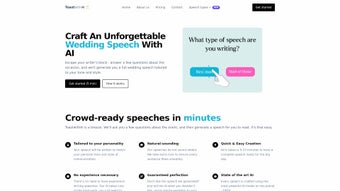

Download ToastwithAI – AI‑Powered Wedding Speech Generator, Free, Secure & Easy
Overview
ToastwithAI is a web‑based AI‑driven tool that takes the anxiety out of writing wedding speeches. Whether you are the groom, best man, maid of honor, father of the bride, or any other key speaker, the platform walks you through a series of simple, context‑aware questions and then crafts a polished first draft that matches your voice, humor, and emotional tone. The service shines because it does not hand you a generic script; instead, it builds a personalized speech that reflects the unique relationships, anecdotes, and milestones of the couple you’re celebrating.
By leveraging the latest large‑language‑model technology, ToastwithAI eliminates writer’s block, shortens preparation time, and helps you deliver a memorable toast that feels authentic. The interface is clean, the onboarding flow is intuitive, and the output can be edited directly in the browser, giving you full control over length, style, and pacing. For anyone who wants a stress‑free, professional‑grade wedding speech without hiring a ghostwriter, ToastwithAI offers a secure, free‑to‑try solution that can be accessed from any device with an internet connection.
Key Features & Benefits
- Role‑Specific Templates: Choose from predefined roles such as Groom, Best Man, Maid of Honor, Father of the Bride, or create a custom role for a unique perspective.
- Personalization Engine: Answer a series of targeted prompts about the couple, shared memories, inside jokes, and desired tone (funny, heartfelt, formal, or a mix).
- Dynamic Length Control: Set a target duration (e.g., 2‑minute, 5‑minute, or custom) and the AI adjusts content to fit the specified time frame.
- Live Editing Workspace: Edit the AI‑generated draft directly in the browser with rich‑text formatting, bullet points, and line‑break controls.
- Multi‑Device Compatibility: Fully responsive design works on Windows, macOS, Android, and iOS browsers without any downloads.
- Privacy‑First Architecture: All user inputs are encrypted in transit, and drafts are stored only for the duration of the session unless you explicitly save them.
- Export Options: Download the final speech as a PDF, Word document, or plain text file for easy printing or teleprompter use.
- Continuous Updates: The AI model is regularly fine‑tuned with new speech patterns and cultural references to stay fresh and relevant.
How These Features Translate to Real‑World Value
By offering role‑specific templates, ToastwithAI eliminates the guesswork of structure, ensuring you hit the right beats—opening, storytelling, gratitude, and closing. The personalization engine asks you about the couple’s first meeting, favorite hobbies, and even quirky habits, allowing the AI to weave genuine anecdotes that feel handcrafted. The length control is especially useful for ceremonies with strict timing; you can preview a word count estimate and tweak it in seconds.
The live editor means you can inject your own humor or emotional nuance without switching tools. And because the platform runs entirely in the cloud, you never need to install software, making it ideal for last‑minute rehearsals on a phone or tablet. Security‑focused design respects the intimate nature of wedding content, giving peace of mind that your personal stories stay private.
Finally, export options mean you can print a beautifully formatted speech or copy it into a teleprompter app, guaranteeing a smooth delivery on the big day.
Installation, Usage & Compatibility
Step‑by‑Step Installation & First Launch
1. Visit the official website: Navigate to toastwithai.com using any modern browser (Chrome, Edge, Safari, or Firefox).
2. Create a free account: Click “Sign Up”, enter your email, and set a password.
A verification email will confirm your identity.
3. Choose your speaker role: After logging in, select the role you’ll be delivering the speech for. Each role pre‑loads a set of relevant prompts.
4.
Answer the guided questionnaire: Provide details about the couple, your relationship, tone preferences, and desired speech length. The UI uses progressive disclosure, showing only the most relevant questions at each step.
5. Generate the draft: Hit “Create My Speech”.
Within seconds, the AI composes a full draft displayed in an editable window.
6. Refine & export: Use the built‑in editor to adjust phrasing, add personal jokes, or trim sections. When satisfied, click “Export” and choose PDF, DOCX, or TXT.
7.
Save for later: If you need more rehearsal time, click “Save to Cloud”. Your draft will be stored securely for up to 30 days.
Device & Operating System Compatibility
ToastwithAI is a pure web application, which means it works on any operating system with a contemporary browser. Tested platforms include:
- Windows 10/11 (Chrome, Edge, Firefox)
- macOS Ventura and later (Safari, Chrome, Firefox)
- iOS 14+ on iPhone and iPad (Safari, Chrome)
- Android 9+ on phones and tablets (Chrome, Firefox)
Troubleshooting Common Issues
Slow generation: Ensure a stable internet connection; the AI model streams results in real time. If latency persists, clear browser cache or switch to a wired connection.
Export formatting errors: Use the “Reset Formatting” button before exporting, or try a different file type (PDF vs. DOCX).
Login problems: Check your spam folder for the verification email, and confirm that you’re using the same email address for sign‑up.
Privacy concerns: All drafts are encrypted with TLS 1.3. If you wish to permanently delete a saved speech, navigate to “My Drafts” and click “Delete Permanently”.
Pros, Cons & Frequently Asked Questions
Pros
- Highly personalized output that feels hand‑crafted.
- Fast generation—draft ready in seconds.
- Role‑specific templates reduce structural guesswork.
- Responsive design works on any device, no downloads needed.
- Secure, encrypted data handling respects privacy.
- Free tier available; premium plan adds unlimited drafts and priority support.
Cons
- Internet connection required; offline use is not possible.
- Advanced customization may still require manual editing.
- Free version limits the number of saved drafts per month.
- AI may occasionally produce clichés if prompts are vague.
FAQ
Is ToastwithAI really free to use?
Yes, the core speech‑generation feature is free with a limit of three drafts per month. For unlimited drafts, priority AI models, and advanced export options, a modest subscription is available.
Can I use ToastwithAI for non‑wedding events?
While the platform is optimized for wedding speeches, the underlying AI can be repurposed for other celebrations such as anniversaries, birthday toasts, or graduation speeches by selecting the “Custom” role and adjusting the prompts.
How does the AI ensure my speech sounds authentic?
During the questionnaire, you provide personal anecdotes, tone preferences, and specific details about the couple. The AI uses this data to tailor language, humor style, and emotional cadence, producing a draft that mirrors your voice.
What security measures protect my personal information?
All communications are encrypted with HTTPS/TLS 1.3. Drafts are stored temporarily on secure servers and are automatically purged after 30 days unless you choose to keep them longer. We never share your data with third parties.
Can I edit the generated speech after export?
Absolutely. Exported files are standard formats (PDF, DOCX, TXT) that can be opened in any word processor for further refinement.
Review Summary
Overall Rating: 4.7/5
Emily R. – Best Man
ToastwithAI turned a daunting 10‑minute speech into a heartfelt story that had everyone laughing and tearing up. The AI captured our inside jokes perfectly, and the editing interface let me add a few personal touches. The only hiccup was the occasional generic line, but a quick tweak solved it.
Conclusion & Call to Action
Crafting a wedding speech shouldn’t feel like a marathon of writer’s block. ToastwithAI combines cutting‑edge AI with a user‑centric design to deliver a personalized, ready‑to‑deliver draft in minutes. Its role‑specific templates, length control, and secure cloud‑based workflow make it an indispensable companion for anyone standing at the microphone on that unforgettable day.
Whether you’re a nervous groom, a witty best man, or a proud parent, the platform gives you the confidence to speak from the heart without spending hours agonizing over words. Ready to turn your ideas into a polished toast? Sign up for free today, generate your first speech, and experience the ease of AI‑enhanced storytelling.



.png)



